
Introduction
This integration document will guide you through how to generate vouchers on the fly uing pre-defined discount rules set up in the admin of your Shopify site. By using this integration, you can feed vouchers directly from the Shopify e-commerce platform without having to pre-generate voucher codes and upload them into the Odicci platform. 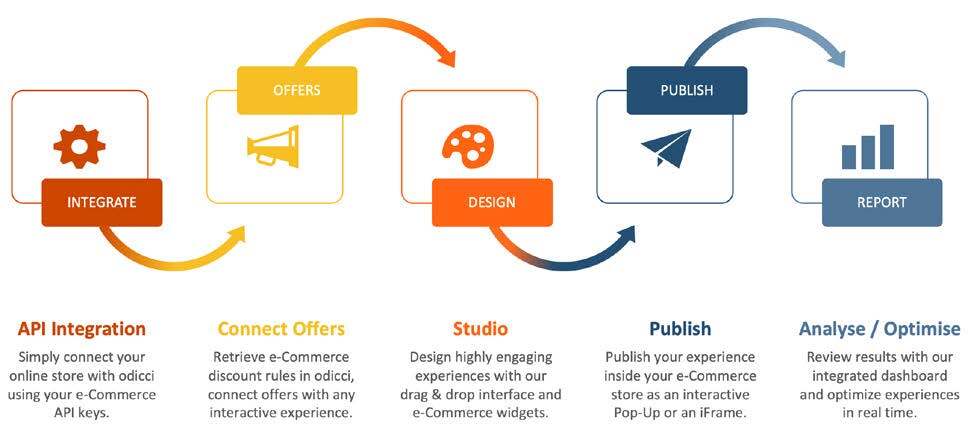
Prerequisite: You will need to be integrated with Shopify to be able to use the Shopify Voucher API / Discount rules in your Odicci experience.
Setting up your Offers with the Voucher API
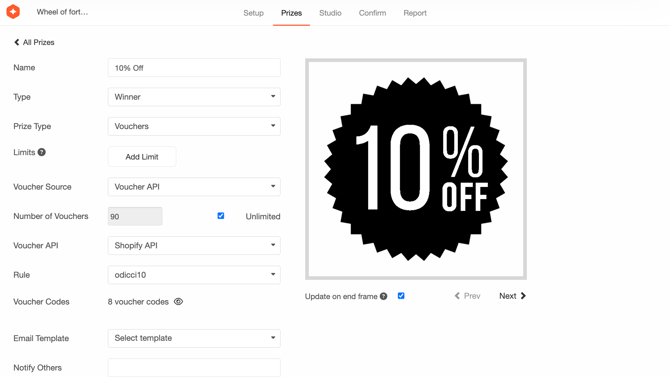
In your Odicci experience you can set up offers as vouchers via the API. Go to the offer section. Make sure the offer type is set to “Voucher“, and the voucher source is set to “Voucher API“.
Set the amount of offers available. Select Voucher API and Shopify API. The discount rules set up in the Shopify admin will automatically appear in the list. Select the appropriate rule for your offer and then press save.
Showing Voucher codes in your Experience
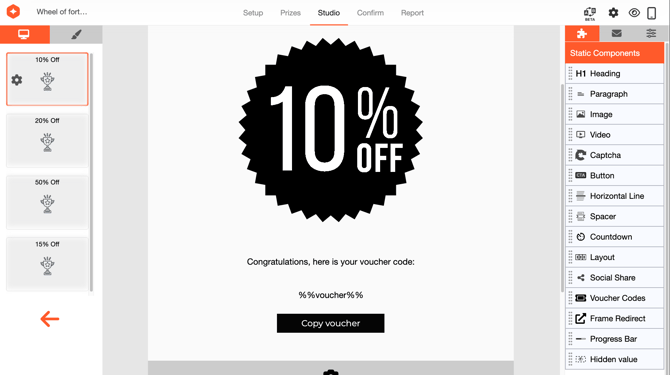
In the studio, when editing success frames, make sure to add “Voucher Codes” from the static components in the right hand panel. This will automatically add the dynamic merge tag %%voucher%% to ensure that it is populated when an end user wins a prize.
Play through the experience, and check the merge tag is populated with a voucher code. You can copy and paste the voucher into the cart with an item present and apply the discount.
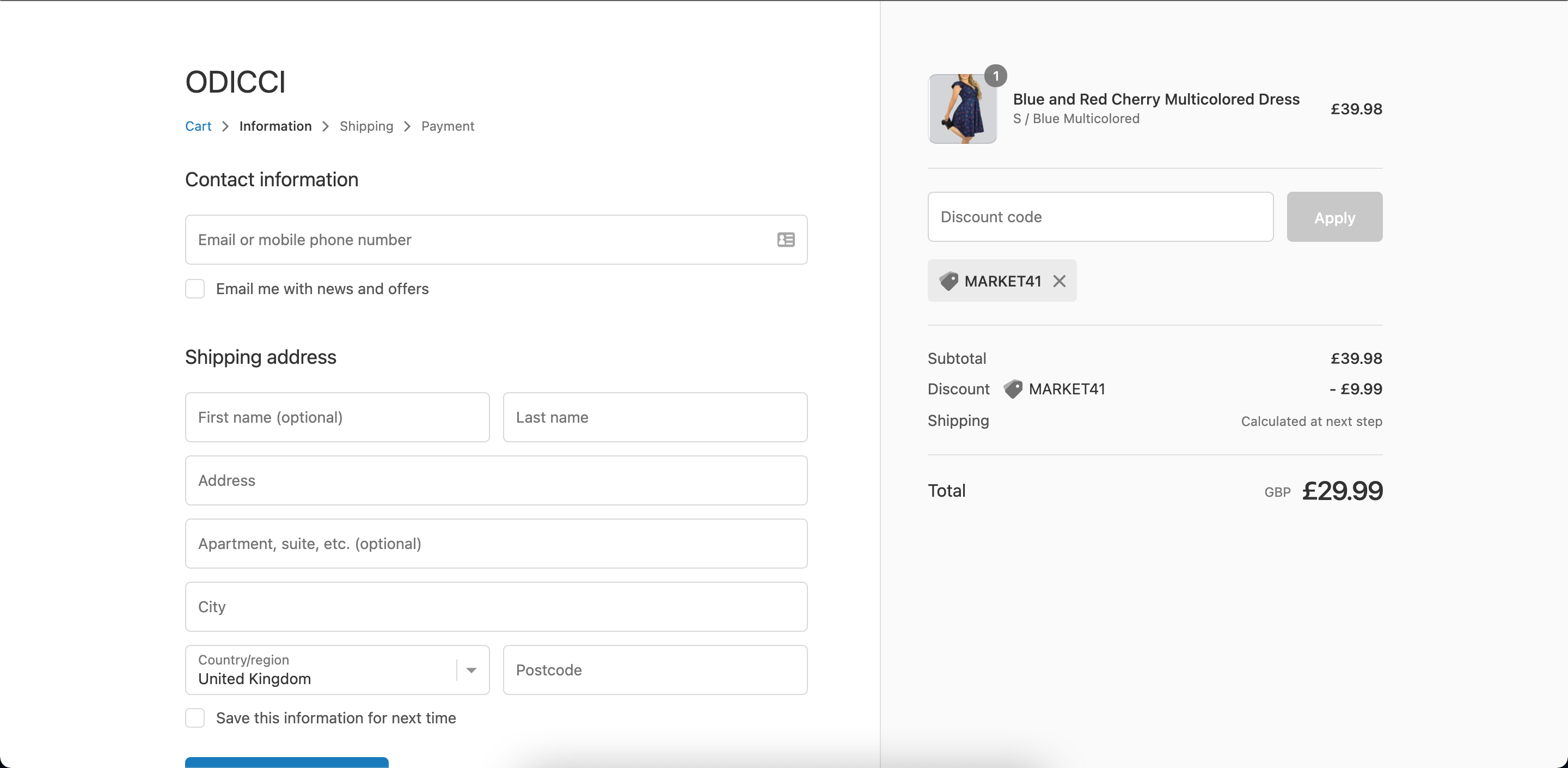
Add Voucher directly to Cart
You can also automatically add a voucher to Shopify checkout. Odicci natively integrates with Shopify's built-in discount routing, meaning you don't need any custom code to make this work.
Shopify Revenue Dashboard
The Shopify Revenue Dashboard is a real-time reporting tool within the Odicci platform that helps you track and analyse the financial performance of your promotional campaigns directly from your Shopify store data. Whether you are running a scratch card promotion, a tap-to-reveal campaign, or any other interactive gamification mechanic, the Shopify Revenue Dashboard provides the insights you need to measure campaign success and make informed business decisions.
Odicci experiences can generate high volumes of API traffic in short bursts (for example during email campaigns, social pushes, or peak purchase hours).
To avoid delays or failures for end users (e.g. voucher issuance, wallet / account lookups, identity validation), please ensure that any rate limiting or throttling on your side is configured to allow the required traffic from Odicci.