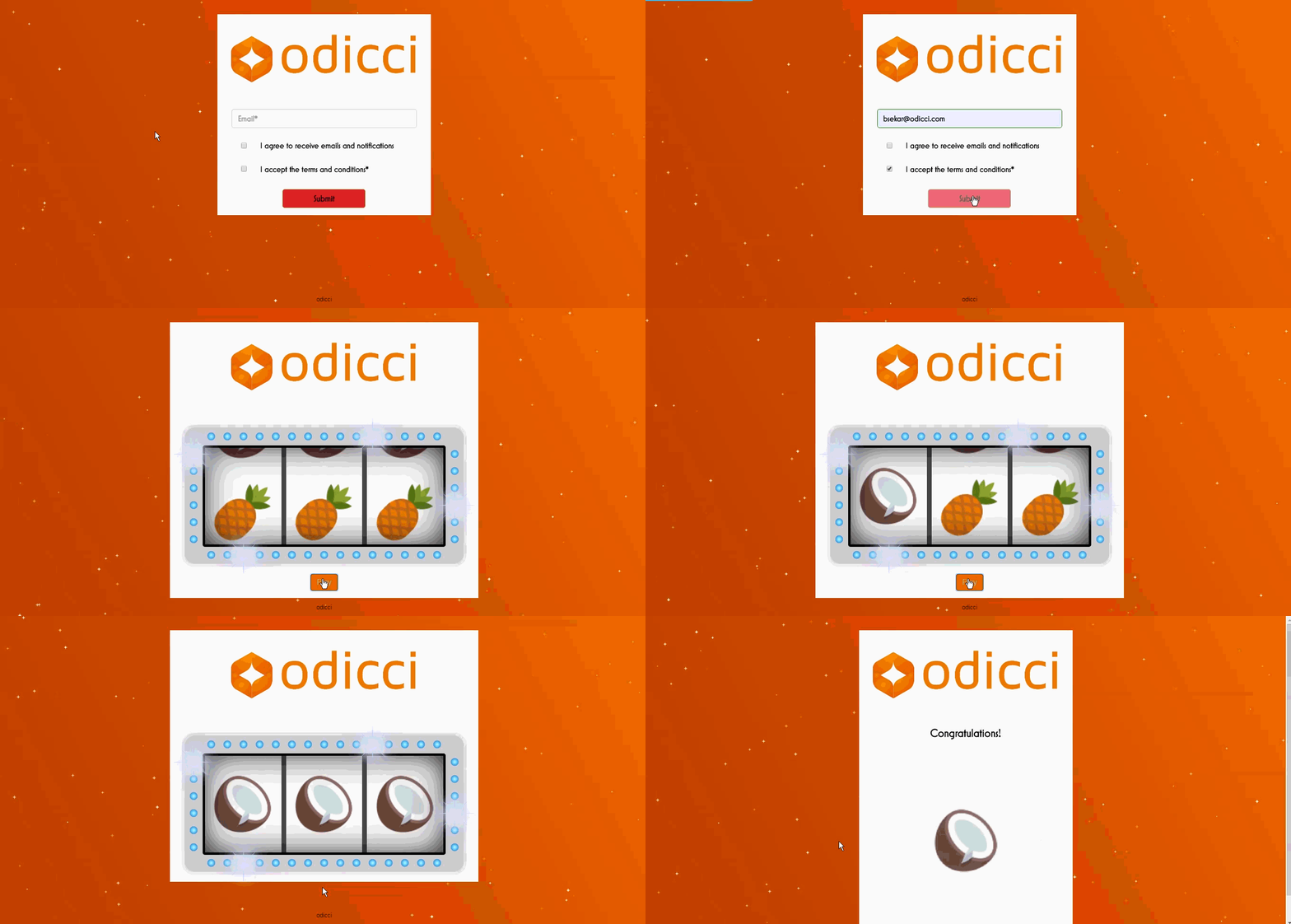
Introduction
Jackpot experience can be used for capturing customer data during events or from consumer goods on packaging for example. Below is an example of a Jackpot.
Build / Studio
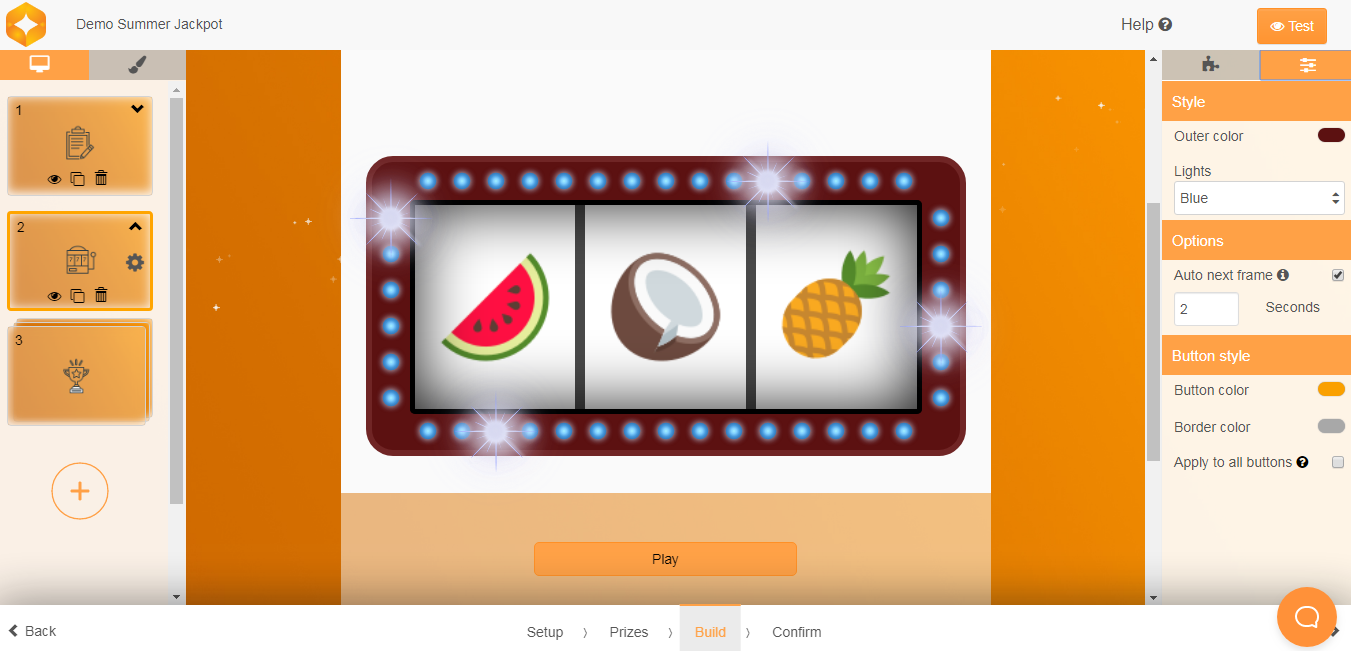
Within the microsite builder under > BUILD you can then directly add the form field To add the jackpot click Add a new frame and select the Jackpot.

> design / colours, layout
Click on the Settings part of the jackpot frame on the right side where you can configure the following
Outer Colour - Outer colour of the Jackpot
Lights - Its a dropdown to get a colour for the lights in the Jackpot
Auto Next Frame - Check this box to automatically redirect the jackpot to the next frame and provide the number of seconds to redirect
- Additional Options
Publishing - Once the build is finalised the experience can be published in the Confirm screen. Pop up, Iframe and Facebook codes are also available in the Confirm screen which makes it easy to embed the experience.
Prizes - Prizes can be configured in the Prizes page, you can add as many prizes required for the experience and can assign the notification email and image for each prize, these images will be used in the jackpot experience.