
Iterable Integration with Odicci
Activate your Iterable Integration:
- In your Odicci account, click on the icon in the top right corner and select settings.
- Navigate to Integrations, find Iterable, and click on ADD
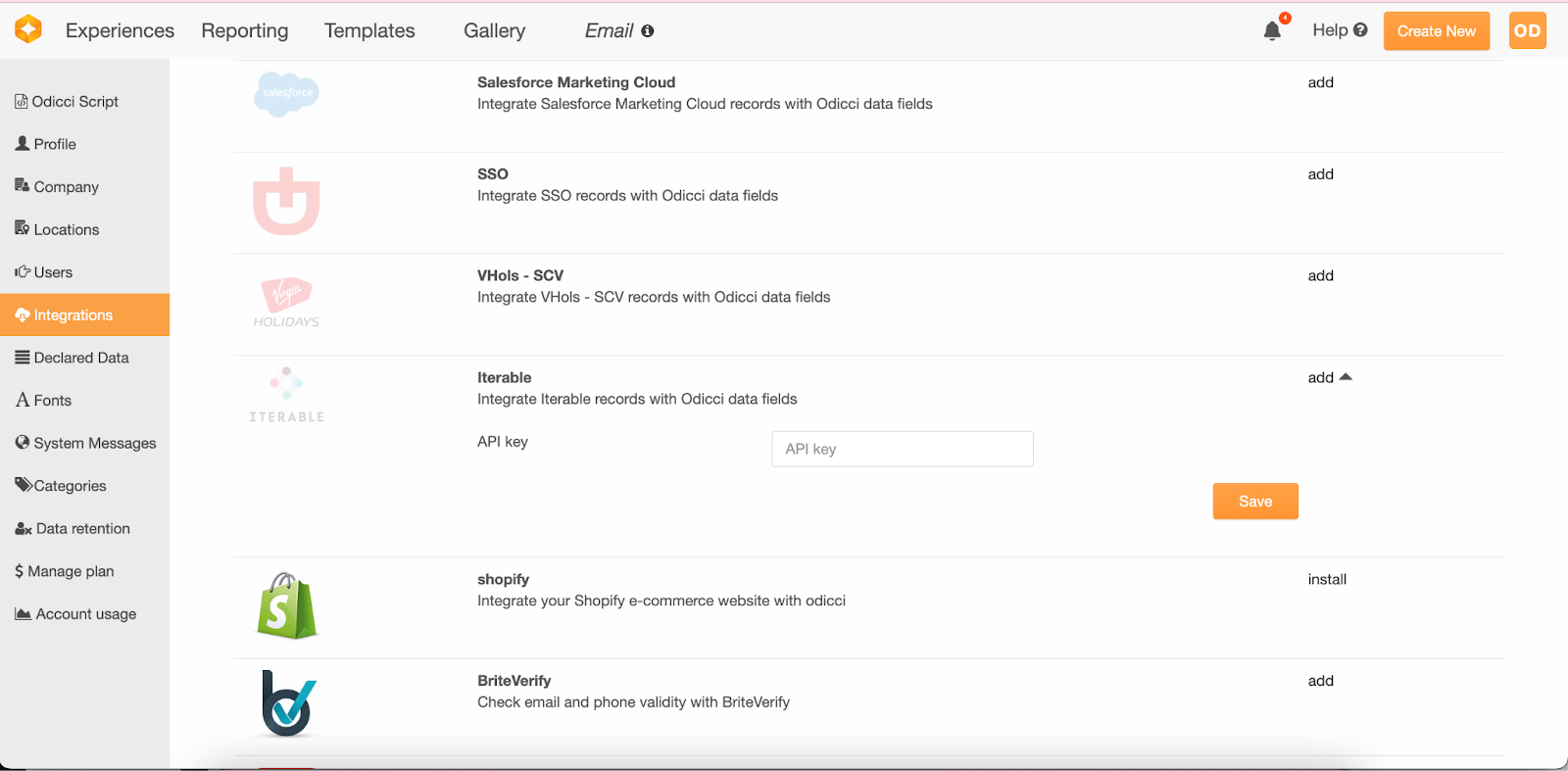
- Have your Iterable API key ready and paste it to activate the integration. A success message will appear if the API key is valid.
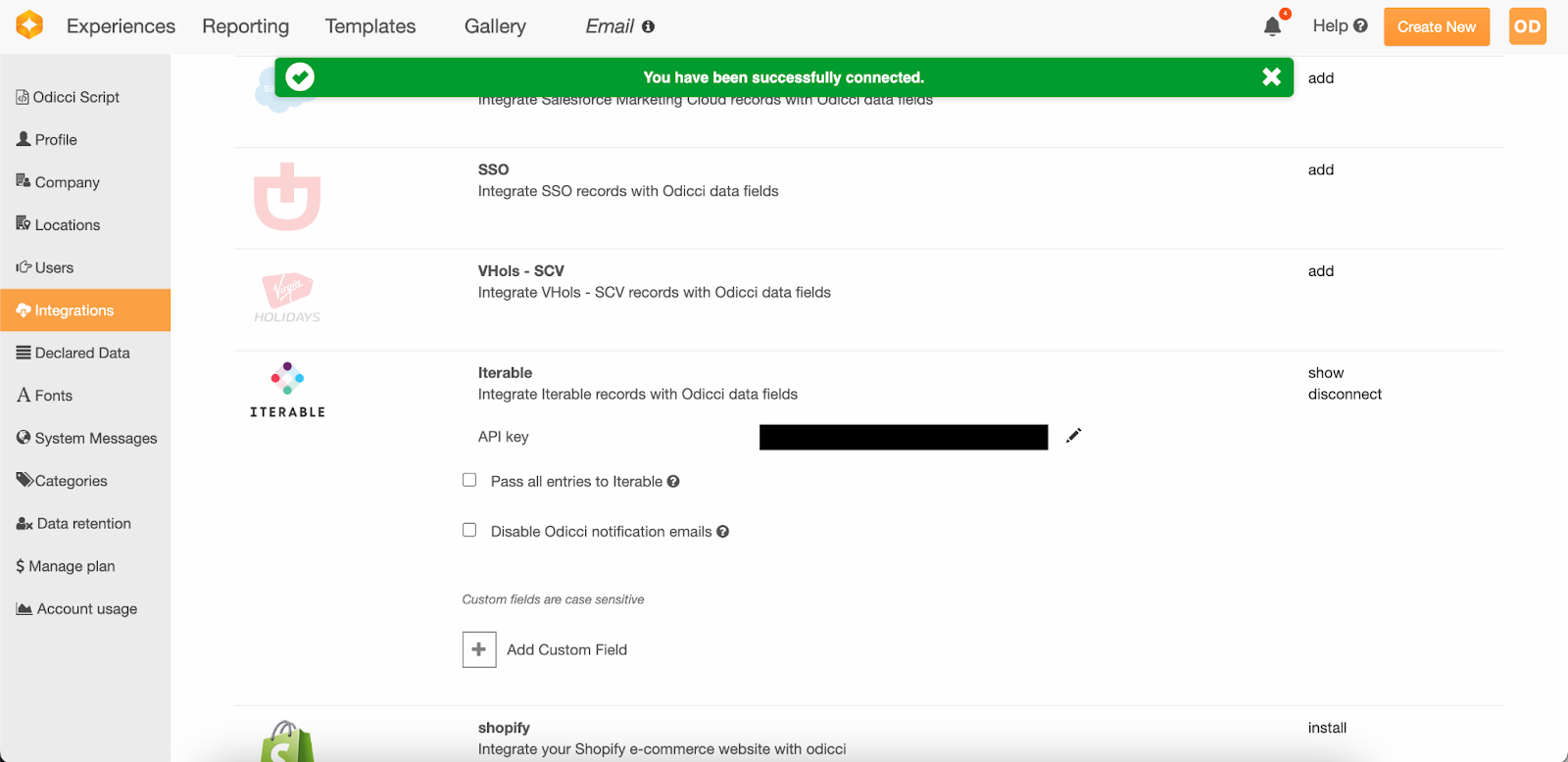
Field Mapping:
- In your Odicci experience, click on settings (represented by a cog wheel inside the studio) to access the CRM integration.
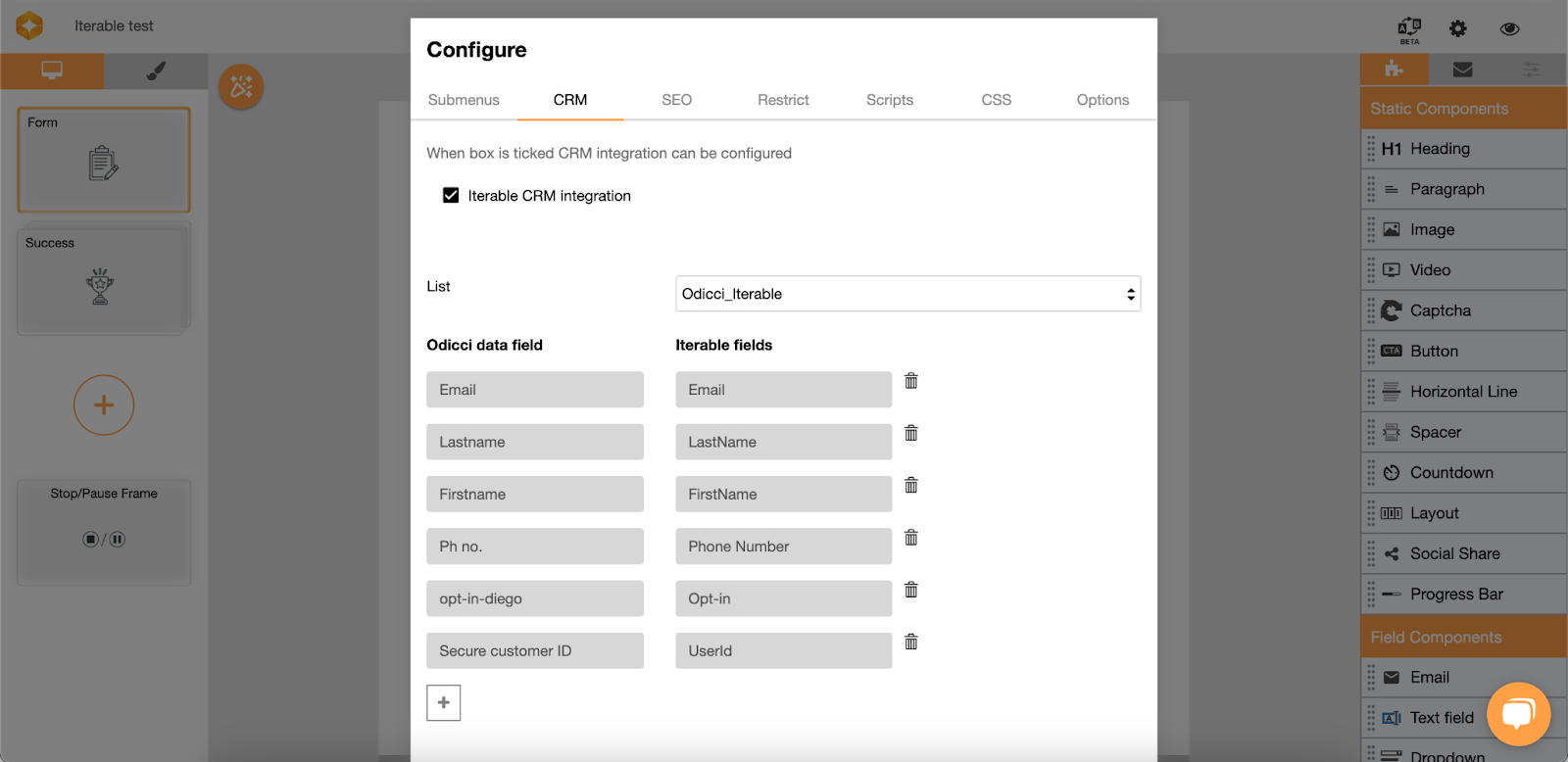
- Activate the Iterable CRM integration and select the Iterable list where the data should be sent.
- Data fields will automatically appear, with the Email field from Odicci being directly mapped to the Email field from Iterable. You can add more mappings by clicking on the + sign.
Test Integration:
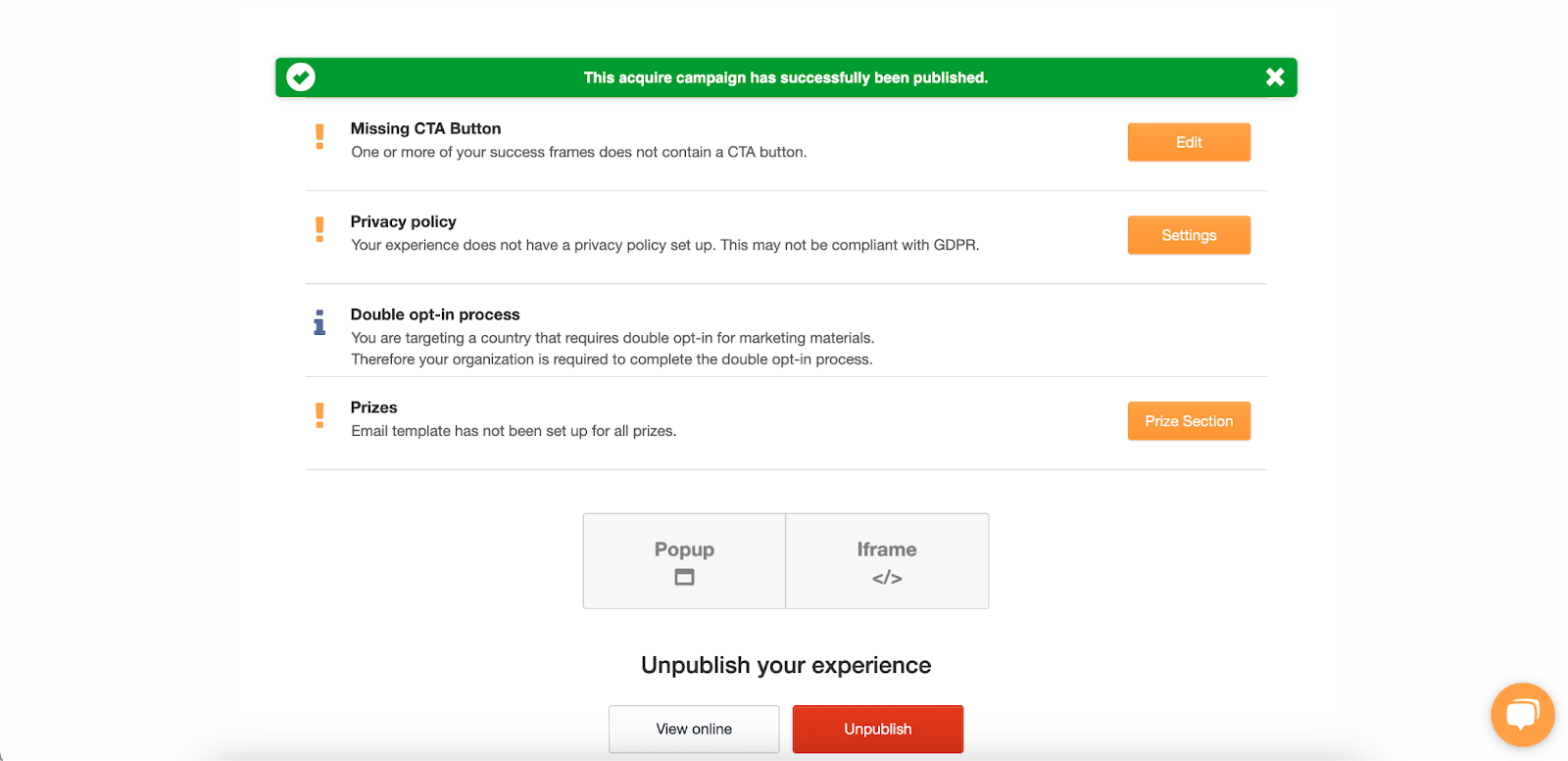
- After setting up the integration in Odicci, publish your experience and input some data to ensure all fields are mapped correctly.
- Check in Iterable to verify the data has been transferred properly. Note: Include any specific notes or fields related to Iterable here.
Custom Fields (Optional):
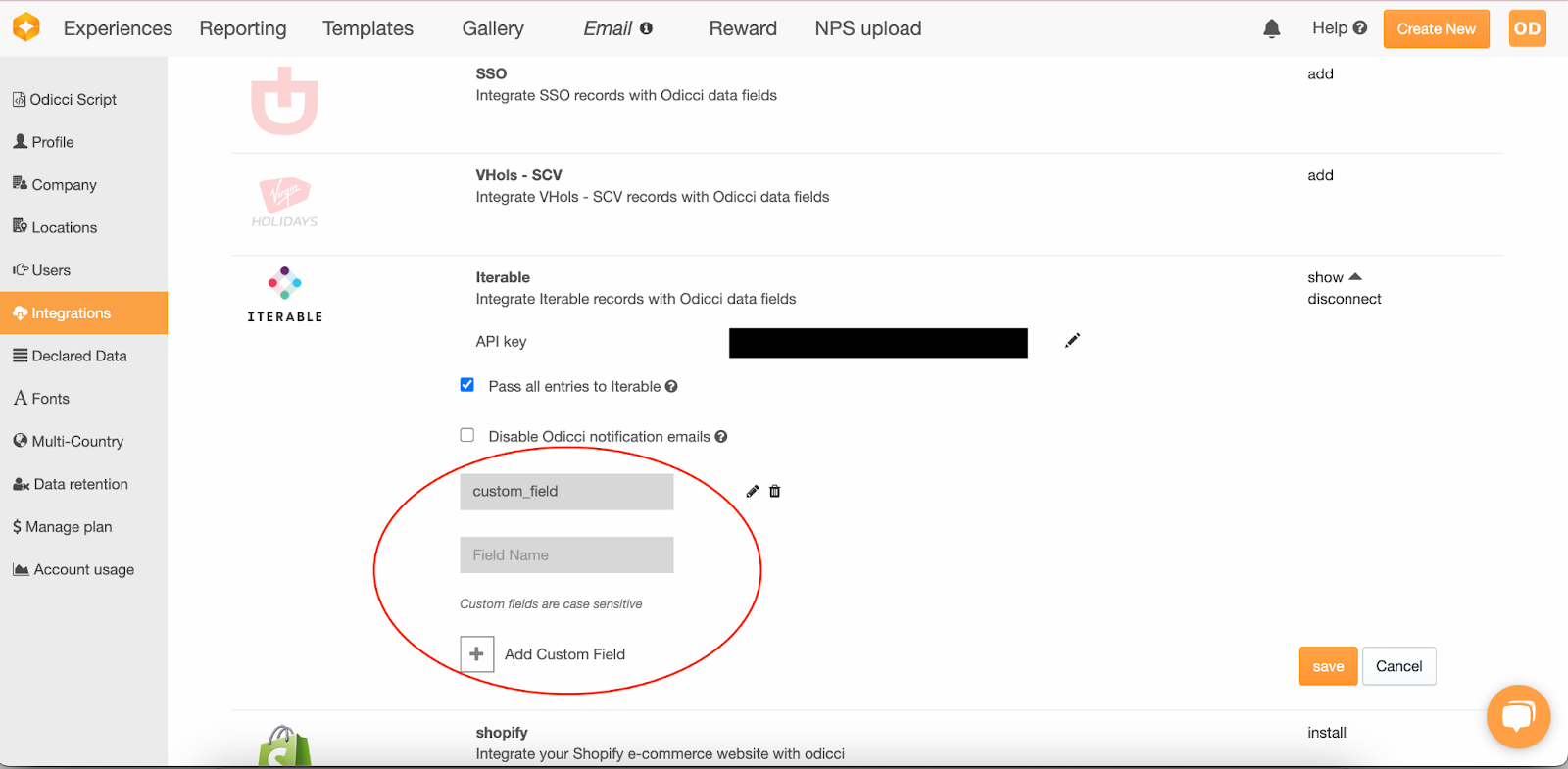
- If you want to send data to fields other than the standard ones, you'll need to:
- Create a custom field in Odicci under Settings/Integrations (fields are case sensitive).
- Map the custom field in your Odicci experience to the Iterable custom field.
- Test the integration to ensure these custom fields are populated correctly.
Pass all entries :
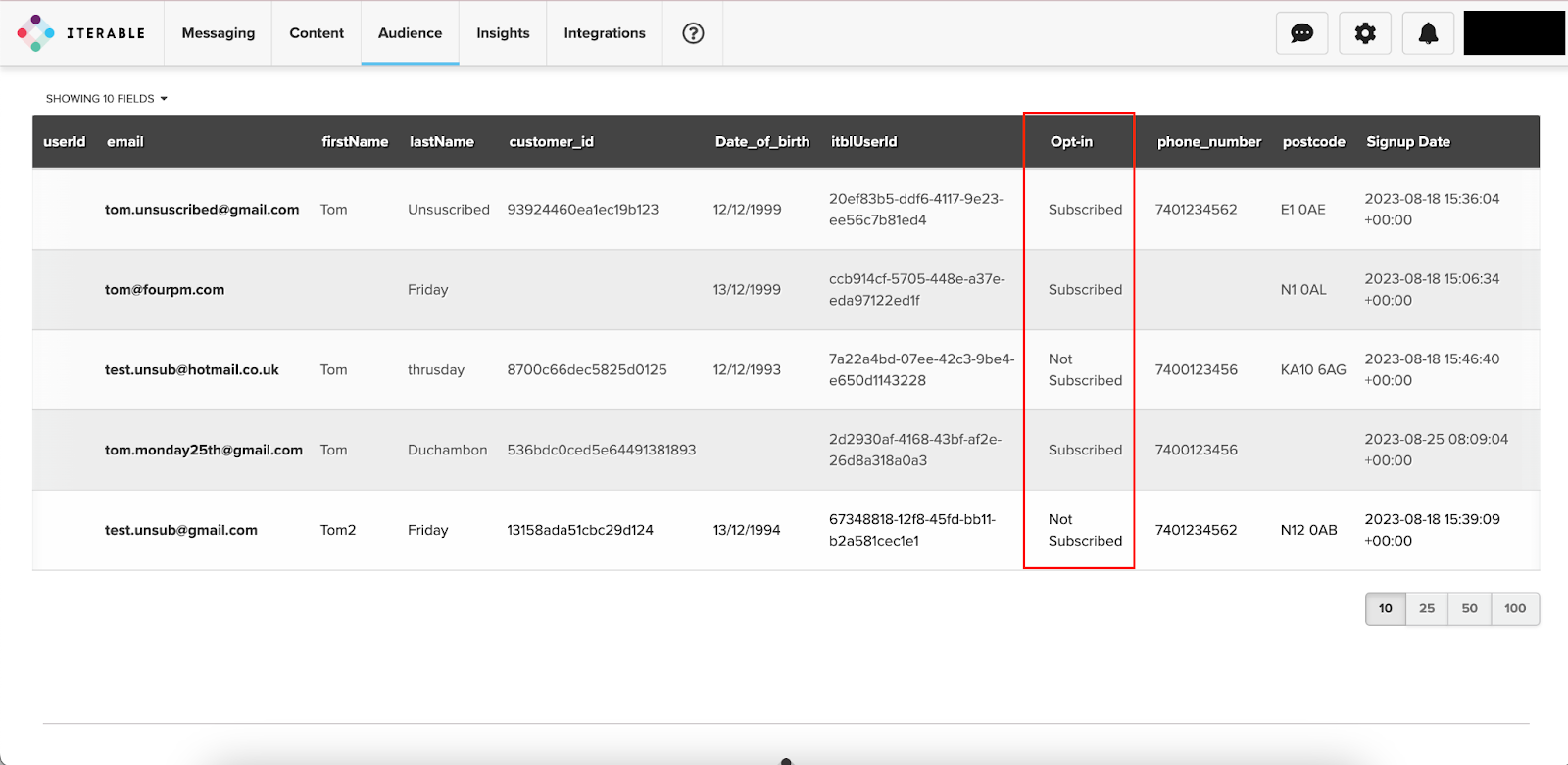
If ‘Pass all entries to Iterable’ is ticked, all entries will be sent to Iterable, even if the customer has not ticked the Opt-in field.
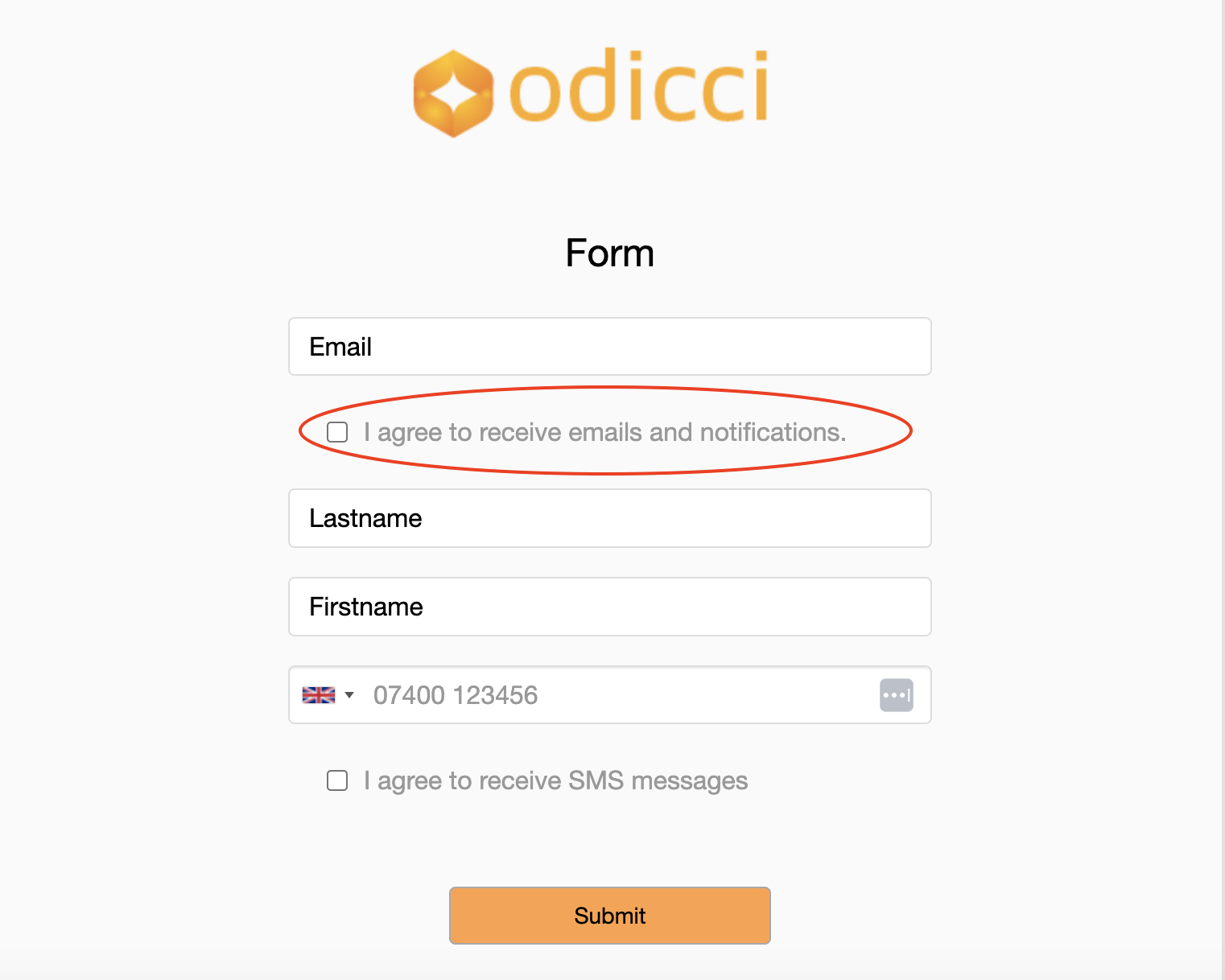
In Iterable - the Opt-in field will either say “Subscribed” if the Opt-in field has been ticked or “Not Subscribed” if the Opt-in field has not been ticked :
If you need further assistance or have specific questions about the integration, the Odicci customer success team is available for support.
Odicci experiences can generate high volumes of API traffic in short bursts (for example during email campaigns, social pushes, or peak purchase hours).
To avoid delays or failures for end users (e.g. voucher issuance, wallet / account lookups, identity validation), please ensure that any rate limiting or throttling on your side is configured to allow the required traffic from Odicci.