
Form frames act as the essential gateways for your customer insights. They are specifically designed to capture data that can be used directly within your experience or passed seamlessly to external systems through integrations like Bloomreach.
Overview
Why Use Form Frames?
- Versatile Collection: They allow you to gather specific information required for your campaign goals.
- Smart Pre-filling: You can switch a form to a Pre-filled frame. This allows you to merge existing data into the frame automatically rather than asking the customer to provide it again.
- Consistent Design: Formatting options remain consistent with other frame types, ensuring a professional look throughout your experience.
The Field Component Toolkit
While standard design components are always available, Form frames include specialized Field Components tailored for data collection.
Available Data Fields:
- Contact Info: Email, Phone Number, and Post Code.
.png?width=254&height=190&name=Frame%201490%20(1).png)
- Selection Tools: Dropdown menus, Radio Buttons, and Checkboxes.
.png?width=386&height=127&name=Frame%201491%20(1).png)
- Text Inputs: Standard Text Fields and larger Text Areas.

- Specialty Fields: Date pickers, Unique Codes, Numbers, and Site Lists.

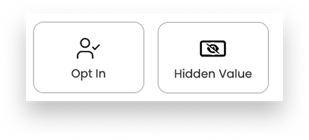
- Behind-the-Scenes: Hidden Values and Opt-In toggles for consent.
The Critical Step: Mapping
Every component you add to a Form frame is tailored to a specific data type, but the most important setting to remember is Mapping.
When you add a new field component, you will be prompted to:
- Map it to a previously created field ID.
- Create a new field ID specifically for that component.
.png?width=641&height=420&name=Frame%201489%20(2).png)
