
The Shake to Reveal experience is an interactive way to capture customer data by simulating a physical "shake" to uncover a reward. It enables you to turn simple data entry into a memorable, high-energy brand moment.
Note: This guide focuses specifically on the set-up for Shake to Reveal. For general setup and offer configuration, see our Design Your First Experience guide.
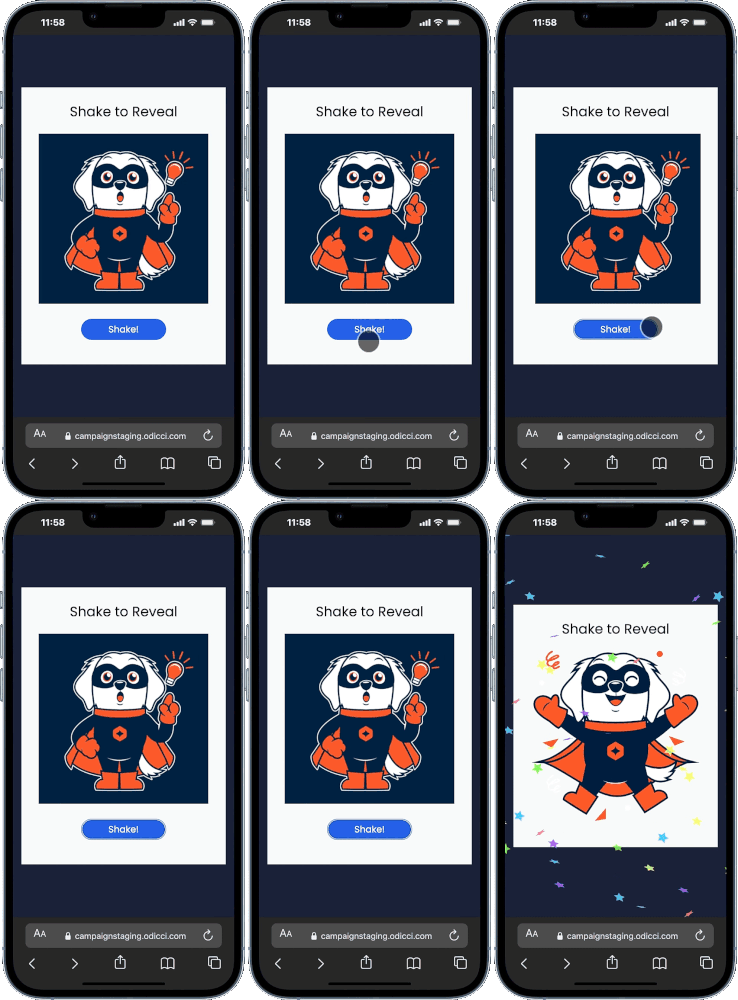
Journey Overview
Step 1: Choosing your creation path
There are two ways to build this experience:
.png?width=670&height=211&name=Frame%201490%20(2).png)
Step 2: Designing Your Experience in Studio
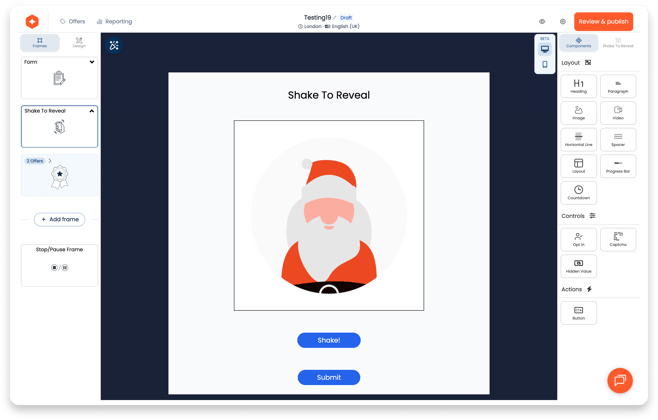
Click on Shake to Reveal frame in the Studio to open customisation options on the right. From here, you can fine-tune the look and feel:
- Cover Image: Upload the default image that users see before they start shaking.
- Offer Images: Click this section to view and edit the specific images revealed after the shake.
- Reveal Buttons: You can automatically add a Reveal button to the bottom of the shake area for Desktop or Mobile devices.
- Auto Next Frame: Check this box to automatically redirect the user to the next frame and specify the number of seconds for the redirect.
Step 3: Configuring the Reward Logic
Your game is only as good as the rewards it reveals which you can configure in the Offers section located top right in Studio:
- Asset Mapping: Assign a specific offer image to each reward; these are the images used during the actual reveal.
- Automation: Link a notification email to each offer so winners receive their rewards instantly (optional)
Step 4: The Launch
Once your build is finalized, use the Confirm screen to go live:
- Publishing: Click the publish button to finalize your experience.
- Embedding: Access ready-to-use codes for Pop-ups or Iframes to place your experience wherever your customers are.