
Introduction
Refer a friend experience can be used to Ask your customers to send a link to their friends to share the experience.
To create this go to New Experience > +Create from scratch > Refer a friend
Offers
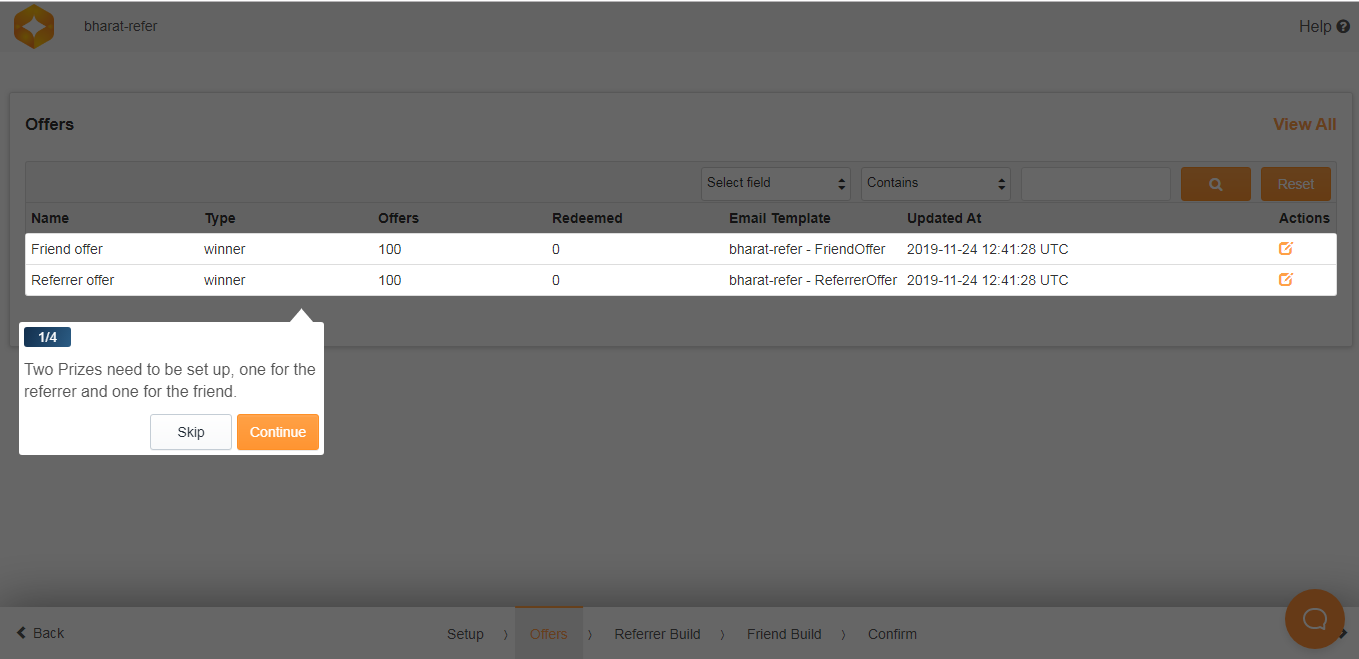
Refer a Friend has Offers section where two prizes need to be set up, one for the referrer and one for the friend
Build / Studio
Refer a Friend has 2 build sections one for the Referrer and the other for the Friend
Referrer Build
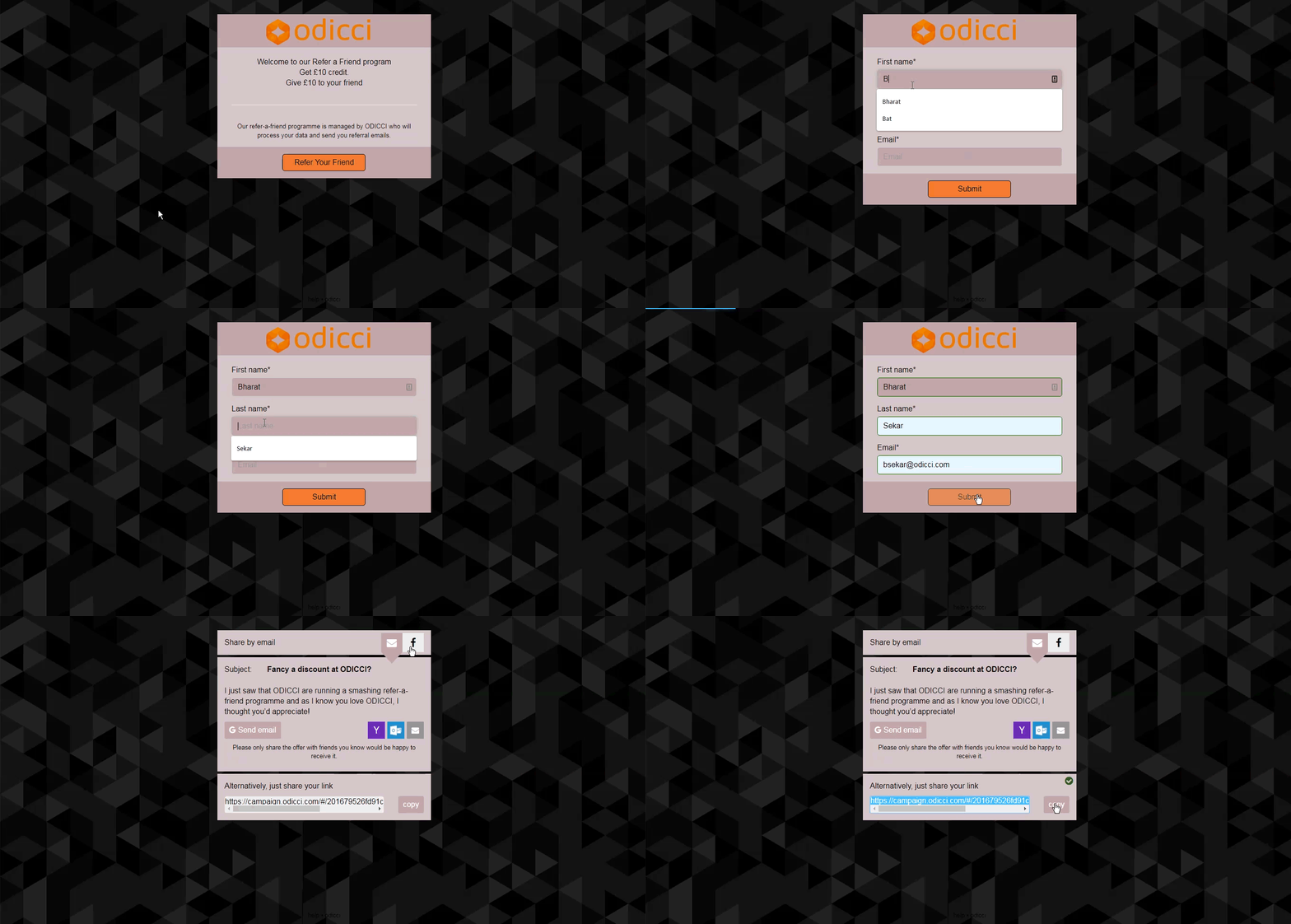
“Referrer Builder” is the section where you will set up the main experience for the users to get an assigned link so they can share it with their friends. The link can be shared via Email, Facebook or the link can be copied and shared as well. The email that the referrer gets after sign up, containing the URL to share with a friend, was automatically created for you and can be edited in the engage section in the main menu.
Friend Build
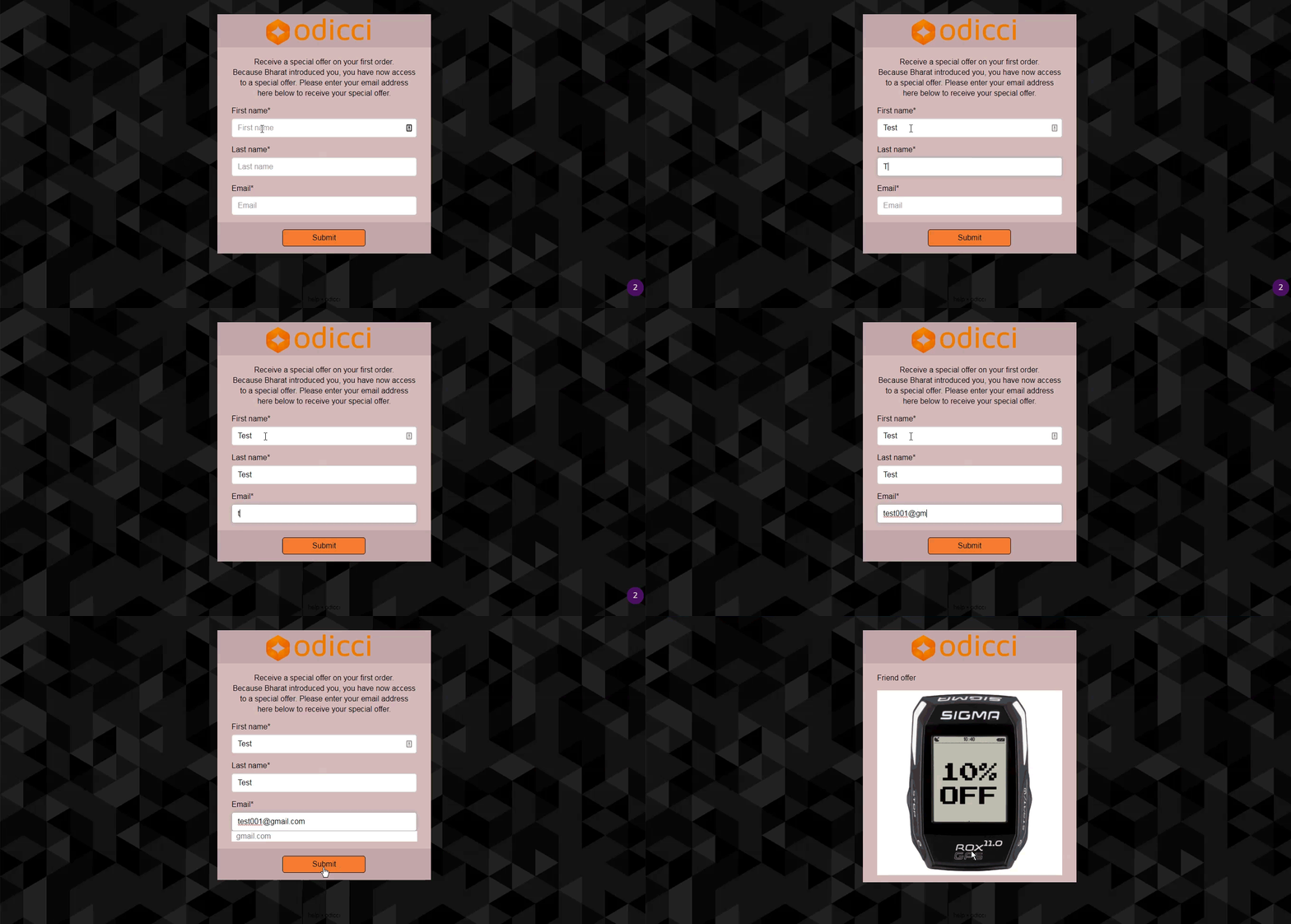
“Friend Builder” is where you set up the experience that the referrer shares with friends by sending the associated link.
- Additional Options
Publishing - Once the build is finalised the experience can be published in the Confirm screen. Pop up, Iframe and Facebook codes are also available in the Confirm screen which makes it easy to embed the experience.